Accessibility Lens
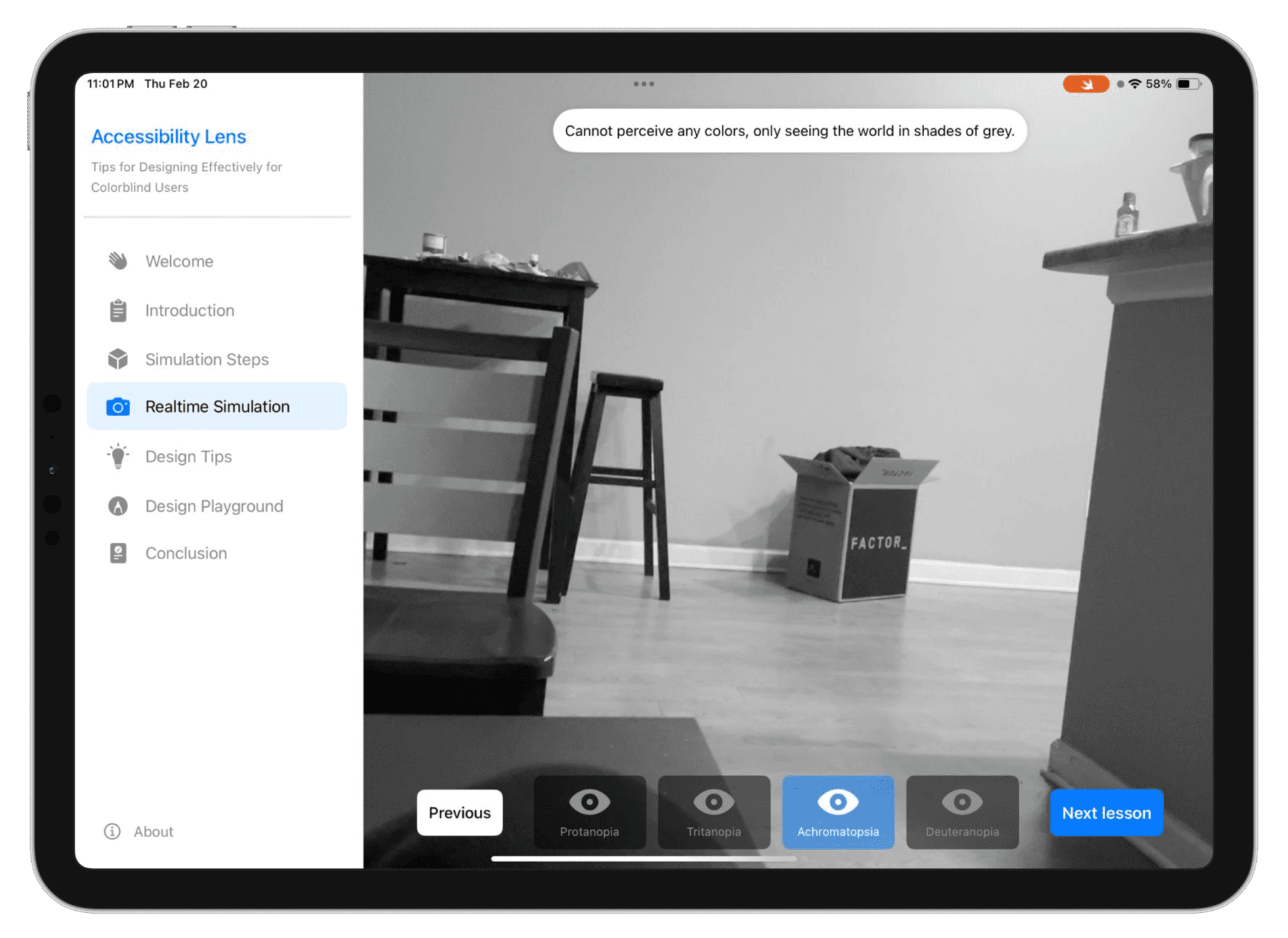
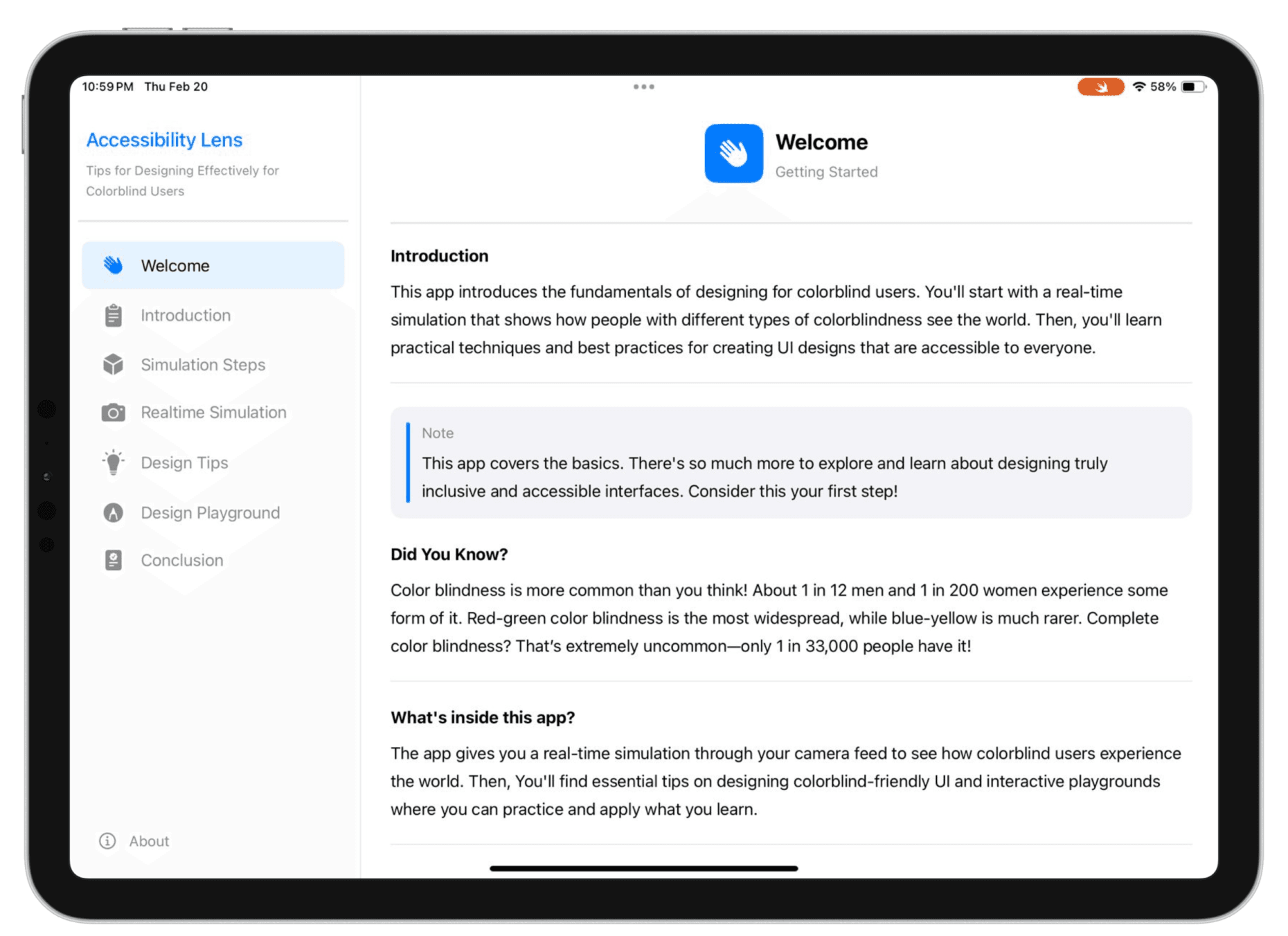
Accessibility Lens is an interactive Swift Playground that uses your device’s camera to simulate real-time color blindness. It helps designers actively explore and understand UI accessibility, turning abstract guidelines into clear, visual insights.
Things I did:
App Development
User Research
Literature Review
Visual Design
User Testing


The Apple Swift Student Challenge is an annual global competition that invites student developers to showcase their creativity and coding skills by designing and building an innovative Swift Playground. Participants have the opportunity to demonstrate their problem-solving abilities while creating interactive experiences that reflect their passions and technical expertise.
The challenge emphasizes innovation, technical implementation, and the meaningful impact of the project, encouraging students to push boundaries and create solutions that address real-world problems. For me, this competition presented the perfect opportunity to merge my UX design background with app development, creating an accessible learning tool that tackles a critical gap in inclusive design education.
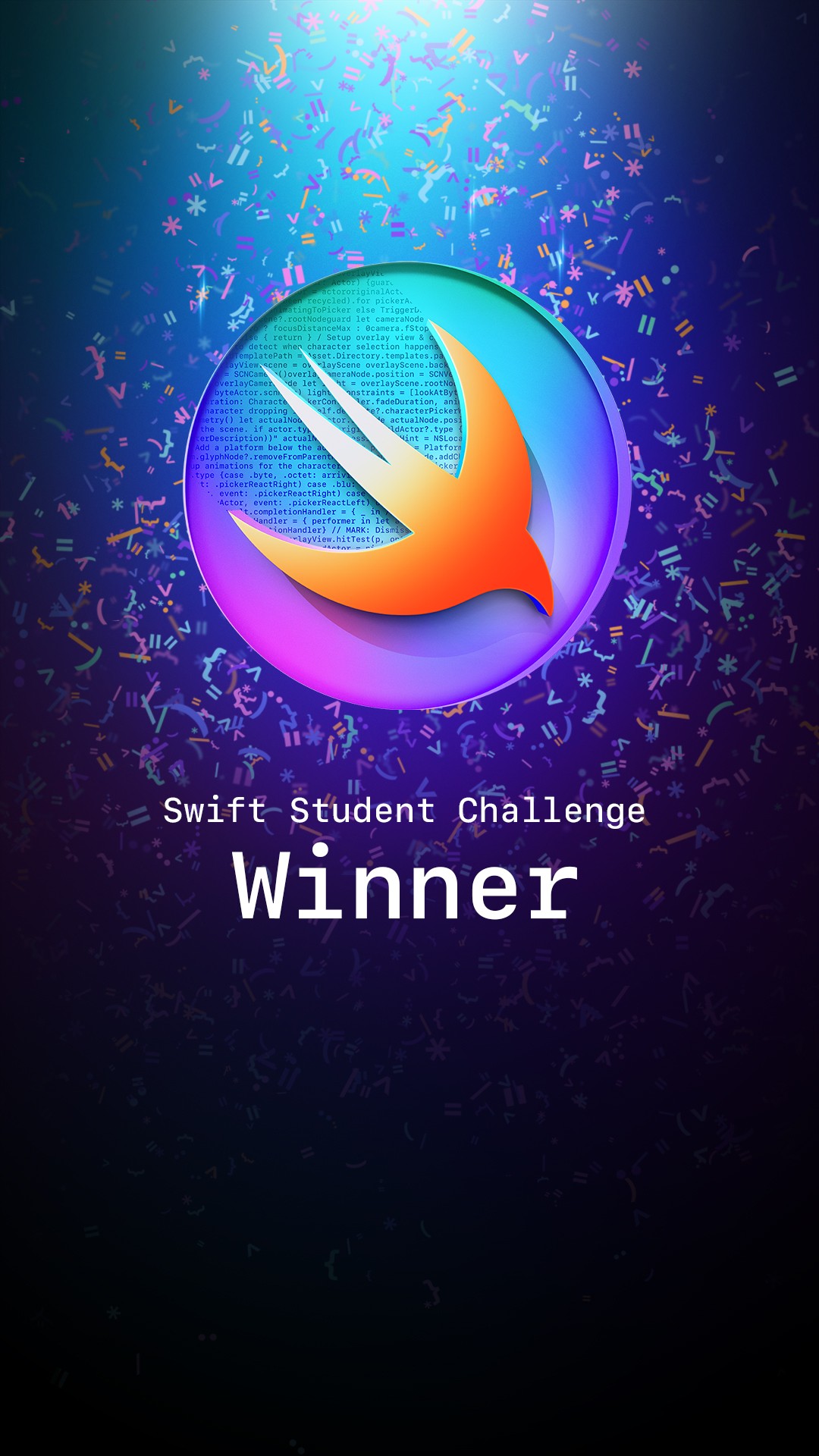
Accessibility Lens was selected as a winning submission for the 2025 Apple Swift Student Challenge, recognizing it among the top 350 student projects worldwide from tens of thousands of submissions across the globe.
As part of this recognition, I was invited to Apple Park for WWDC25, an experience that exceeded every expectation.
The most surreal moments came from meeting the leaders I've admired for years. Talking to people like CEO Tim Cook, Software VP Craig Federighi, and Susan Prescott felt unreal.
The Problem I discovered
Despite growing awareness around accessibility, many designers lack practical, experiential understanding of how color-blind users perceive digital interfaces affecting approximately 300 million people worldwide.
The Solution
Accessibility Lens is an interactive Swift Playground that bridges this empathy gap by simulating real-time color blindness experiences through your device's camera. Unlike passive learning tools, it allows designers to actively explore, understand, and improve fundamental UI elements, transforming abstract accessibility guidelines into tangible, visual understanding. The app includes
1
Live camera simulation
2
Interactive UI design examples
3
Actionable design guidance
To build a solution grounded in real understanding, I conducted comprehensive research across multiple sources, exploring existing knowledge, analyzing current tools, and most importantly, learning directly from designers and color-blind users themselves.
1
Studied accessibility guidelines from WCAG, Material Design, and Apple's Human Interface Guidelines
2
Found statistics showing ~8% of men and 0.5% of women experience some form of color blindness, yet accessibility remains an afterthought in many design processes
3
Evaluated existing color blindness simulators like Colorblind Web Page Filter, Sim Daltonism, and browser extensions
4
I browsed through over 60 frequently used websites to check and understand the level of colorblind-friendly modes they offer.
5
More than 90% of websites lacked accessibility features for the colorblind community.
1
Spoke with junior designers, mid-level practitioners, and senior design leads to understand their accessibility knowledge and practices.
2
Key Insight: Most designers expressed guilt or uncertainty about accessibility—they wanted to design inclusively but lacked confidence in their color decisions
3
Connected with users experiencing Deuteranopia (red-green), Protanopia (red-green), and Tritanopia (blue-yellow) color blindness.
4
Heard recurring stories of abandoned tasks due to inaccessible interfaces: unable to complete forms, missing critical alerts, confusion in data visualizations.
1
To validate my assumptions and uncover deeper insights, I conducted 13 in-depth interviews, 8 with designers and 4 with color-blind individuals. These conversations were crucial in understanding the real-world challenges, frustrations, and needs that would shape the app's direction.
Finding color-blind participants turned out to be way trickier than I expected. Then I took my search to Reddit. Suddenly, my inbox was overflowing with messages from people excited to share their experiences and make the digital world a little more color-blind-friendly.
1
Designer Interviews (8 participants)
Participant Profile:
3 junior designers (0-2 years experience)
3 mid-level UX/UI designers (3-5 years experience)
2 senior designers/design leads (6+ years experience)
Mix of agency, in-house, and freelance backgrounds
Interview Approach
Each 30-45 minute conversation explored their current accessibility practices, knowledge gaps, learning preferences, and pain points when designing for color-blind users. I focused on understanding how they currently approach accessibility and what would make them more confident in their design decisions.
Key Questions Explored
Walk me through your typical design process, at what point, if any, do you consider accessibility
Can you describe a time when you had to make a design decision involving color? How did you evaluate whether it was accessible?
If you could experience the world as a color-blind person sees it for a day, what would you want to learn or understand better?
Imagine you're designing a critical alert or error state, how confident do you feel that a color-blind user would understand it? What makes you feel that way?
When you think about learning accessibility principles, what format or experience would be most valuable to you, and why?
2
Color-Blind User Interviews (4 participants)
Participant Profile:
2 individuals with Deuteranopia (red-green color blindness)
2 individuals with Protanopia (red-green color blindness)
Ages ranging from 24-32, diverse professional backgrounds
All regular users of digital products and services
Interview Approach
These 45-60 minute conversations focused on lived experiences navigating digital interfaces. I asked participants to share specific frustrations, show me problematic apps/websites, and describe moments when color-dependent design created barriers. The goal was to understand real impact, not just theoretical problems.
Key Questions Explored
Can you walk me through a recent experience where an app or website's color choices created confusion or difficulty for you?
When you encounter a color-coded interface—like charts, forms, or status indicators—what strategies do you use to understand the information?
How do you feel when you realize a designer hasn't considered color accessibility? What goes through your mind?
If you could help designers understand one thing about your experience with color, what would it be?
Have you ever abandoned a task or given up on using a product because of color accessibility issues? What happened?
Colorblind User
I've learned to just assume most apps aren't designed for me. I just start clicking around randomly until something works. It's exhausting and honestly embarrassing.
Colorblind User
The worst is when people use color as the only indicator. 'Click the green button to continue', but I see two buttons that look almost identical. I've closed apps out of frustration because I couldn't figure out what to do next.
The gap was clear: designers needed empathy through experience, not just guidelines. They needed to see what color-blind users see, understand which UI patterns fail and why, and receive immediate, actionable guidance for improvement. This insight shaped my core design principle: transform abstract accessibility into tangible, immersive understanding.
1
The Empathy Gap is Experiential, Not Informational
Designers aren't lacking accessibility information, WCAG guidelines, contrast checkers, and best practice articles are abundant. What's missing is experiential understanding. Reading "red-green color blindness affects 8% of men" doesn't create the visceral comprehension needed to make confident design decisions. Designers consistently expressed a desire to "see what they see" rather than read about it. This insight validated that simulation needed to be at the core of the solution, not as a novelty feature, but as the primary learning mechanism.
2
Accessibility Feels Like Constraint, Not Opportunity
Many designers viewed accessibility as a checklist to satisfy rather than a design challenge to embrace. They described it using language like "compliance," "requirements," and "restrictions", framing it as something that limits creativity rather than expands their design thinking. This mindset stems from accessibility being introduced after visual design is complete, forcing retrofitting rather than integrated thinking. The solution needed to reframe accessibility as fundamental design craft, not an afterthought, making it feel empowering rather than restrictive.
3
Real-World Context Drives Understanding
Color-blind users' most frustrating experiences centered on common UI patterns that designers use daily: error states, success messages, status indicators, data visualizations, and color-coded forms. Yet when I asked designers about accessibility, they often thought about edge cases or complex scenarios. The disconnect was clear: designers needed to see familiar, everyday UI elements fail in order to understand where problems actually occur. Learning had to happen in recognizable contexts buttons, forms, alerts and not abstract examples.
Challenge #1
Challenge #2
Challenge #3
With clear design challenges defined, I explored multiple approaches to create an effective accessibility learning tool. Each solution needed to balance technical feasibility within Swift Playground constraints, educational value, and immersive user experience.
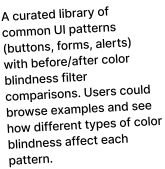
Static Image Filter Library
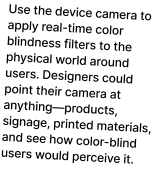
Camera-Based AR Experience
Interactive UI Lab with Live Camera Mode
The Apple Swift Student Challenge provided creative freedom, but within specific technical and experiential boundaries that significantly shaped my solution. These constraints weren't limitations, they became design drivers that forced clarity, prioritization, and innovation.
1
Three-Minute Experience Window. An app that can be experienced within three minutes.
2
25 MB File Size Limit. Entire app, including all assets, must be under 25 MB.
3
No Network Connection. App must function completely offline; all resources included locally.
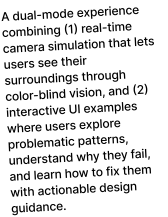
Accessibility Lens emerged as a dual-mode interactive learning experience that combines immersive simulation with practical skill-building. The solution directly addresses the four design challenges identified in research while respecting all competition constraints.
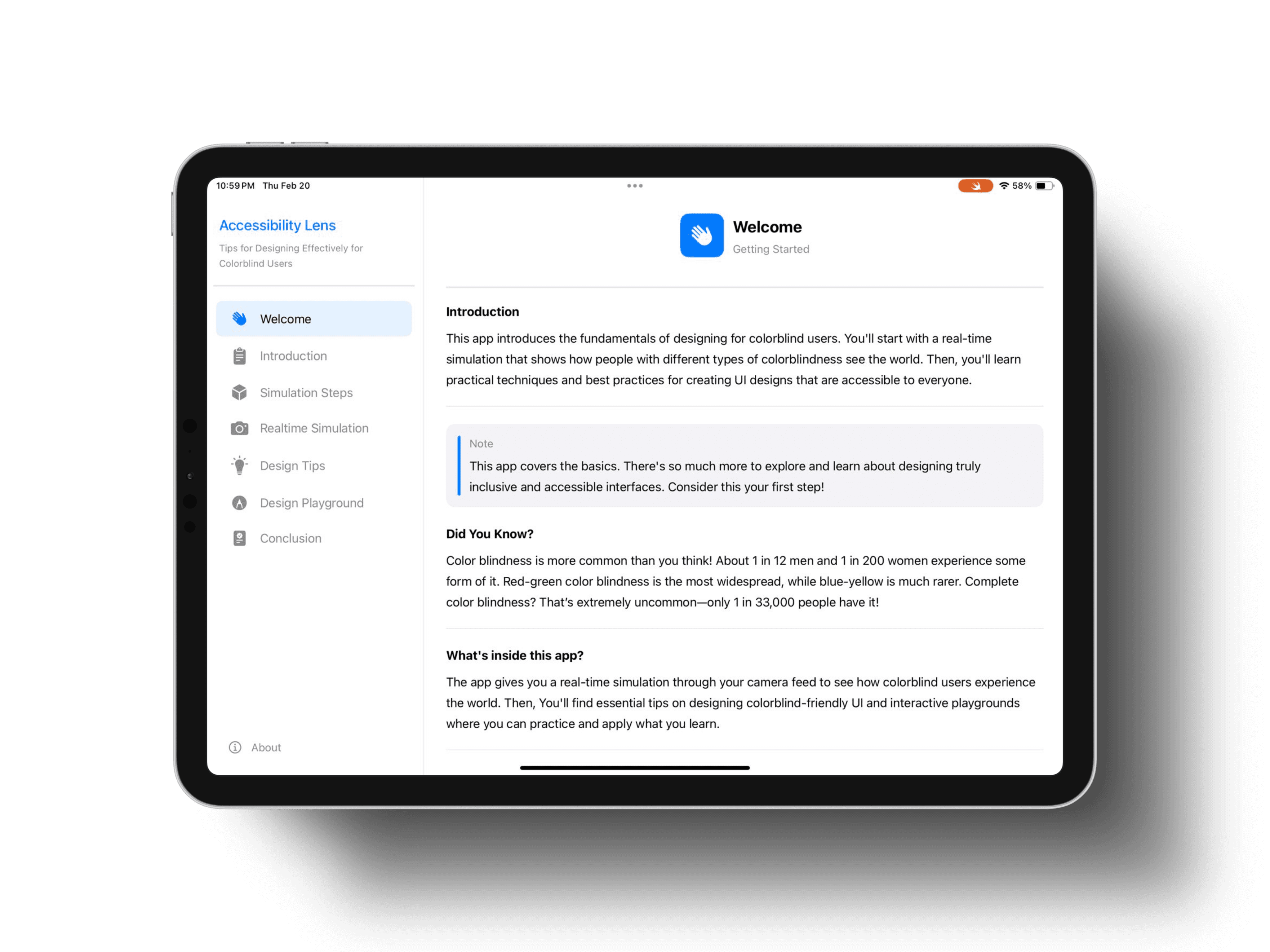
The app provides two complementary learning paths that work together to build both empathy and expertise:
Mode 1
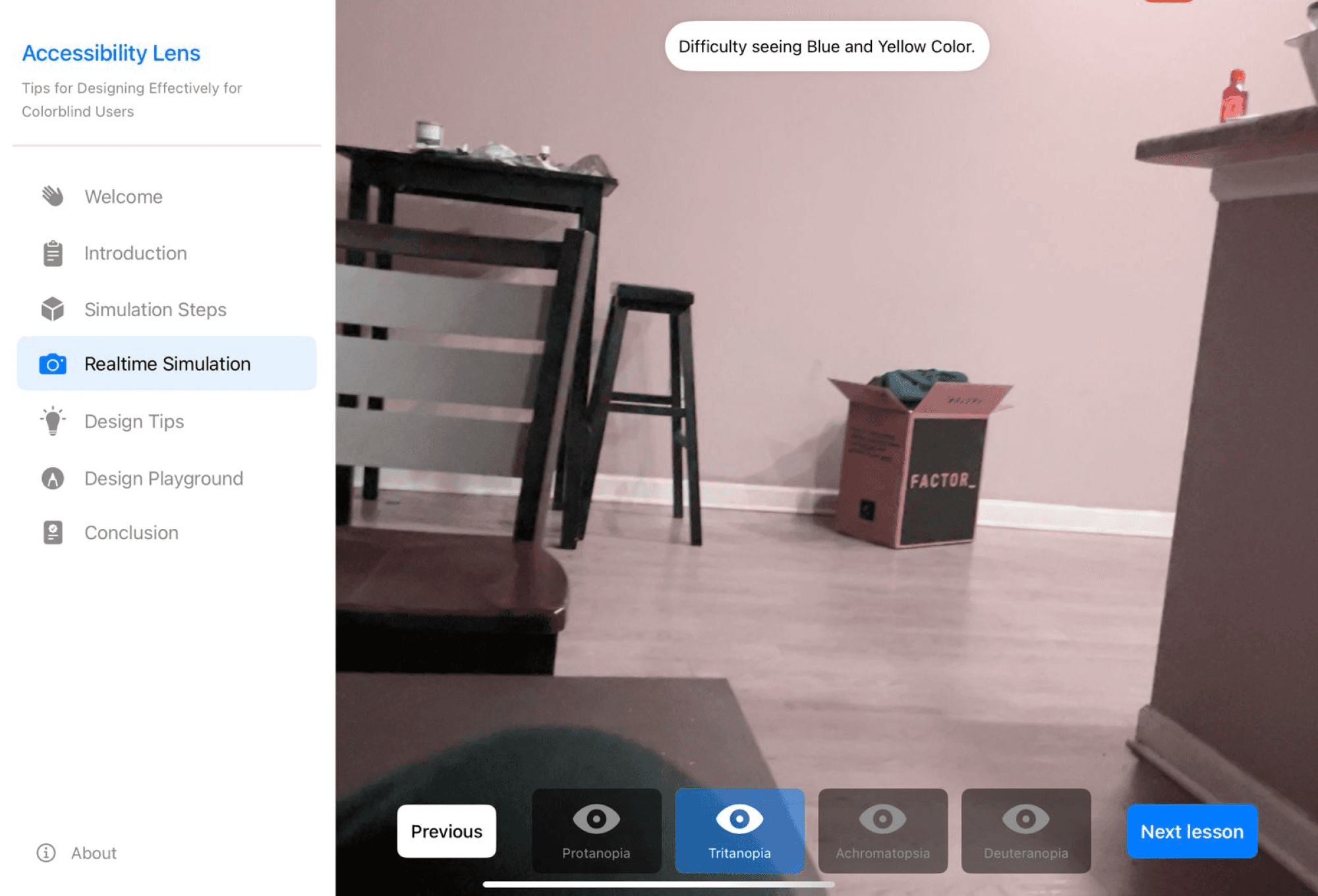
Live Camera Simulation
Experience various types of color blindness in real-time.
Mode 2
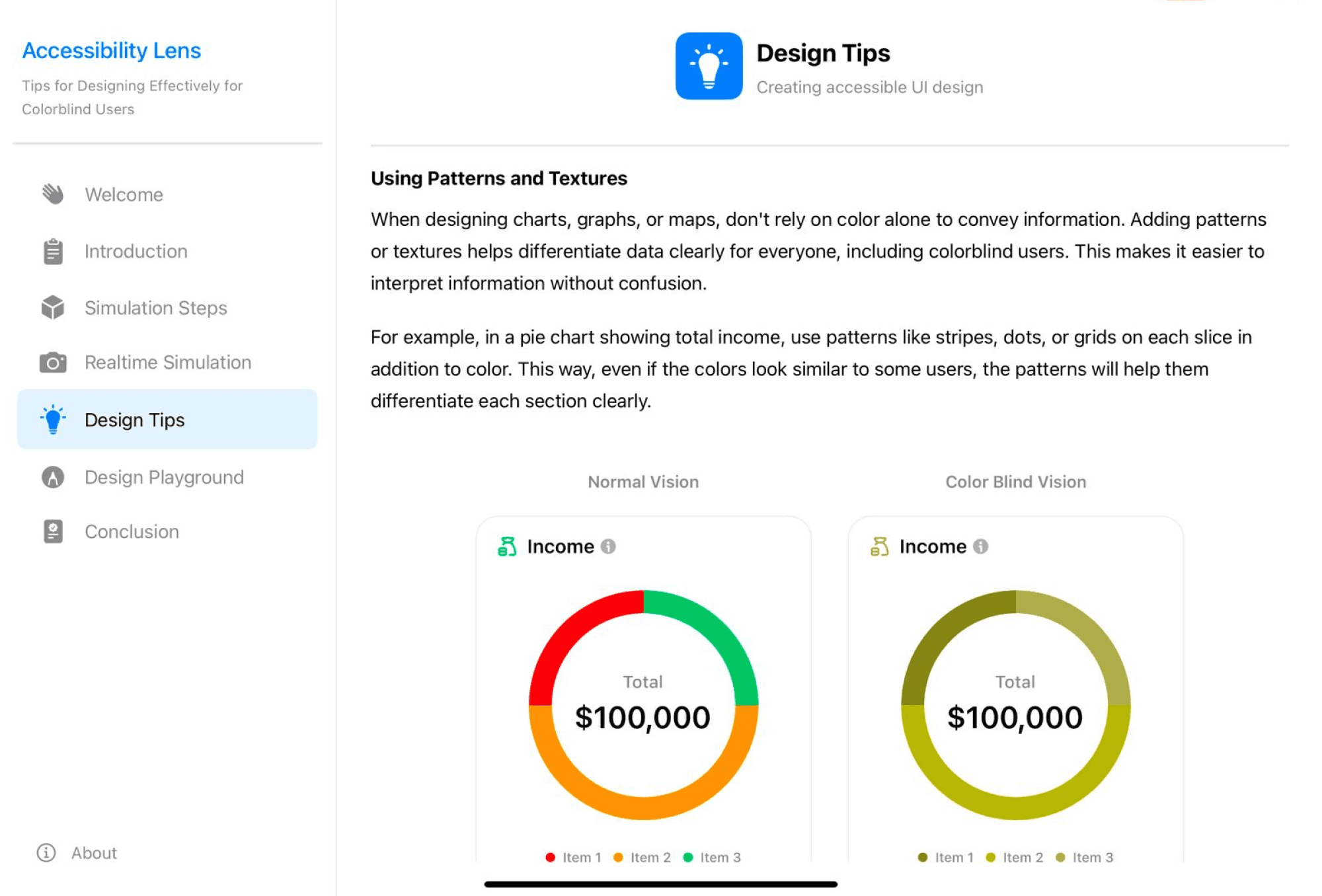
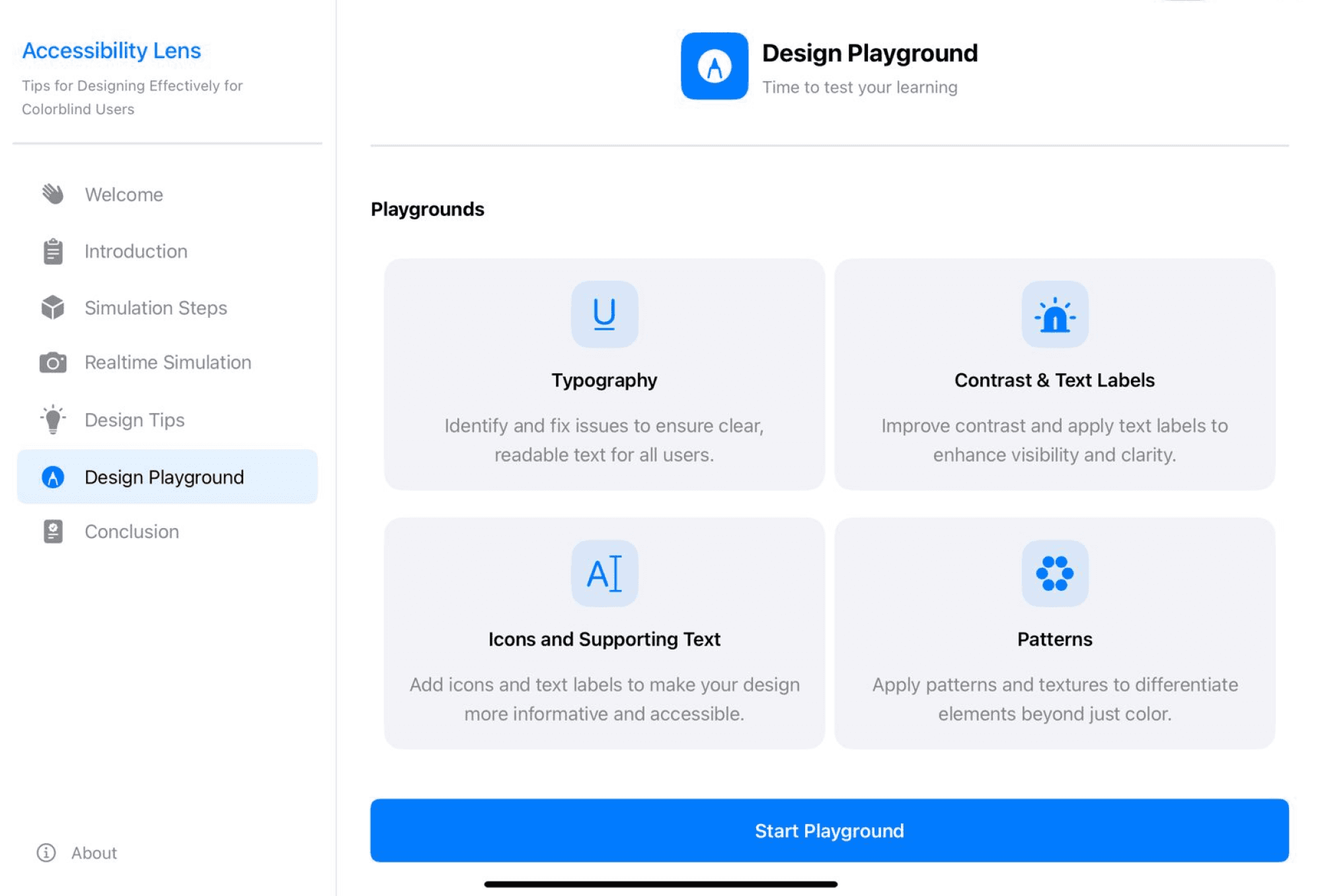
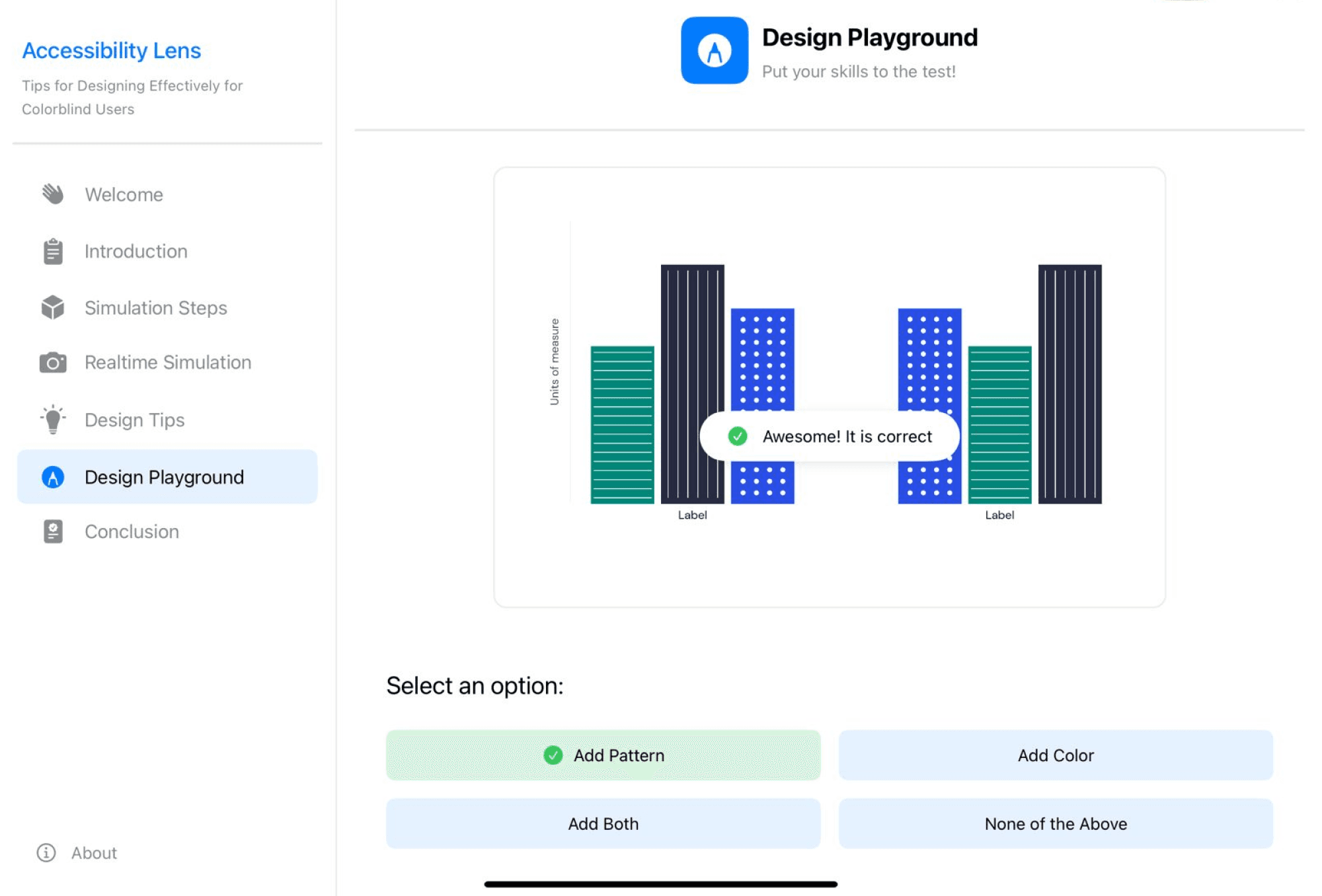
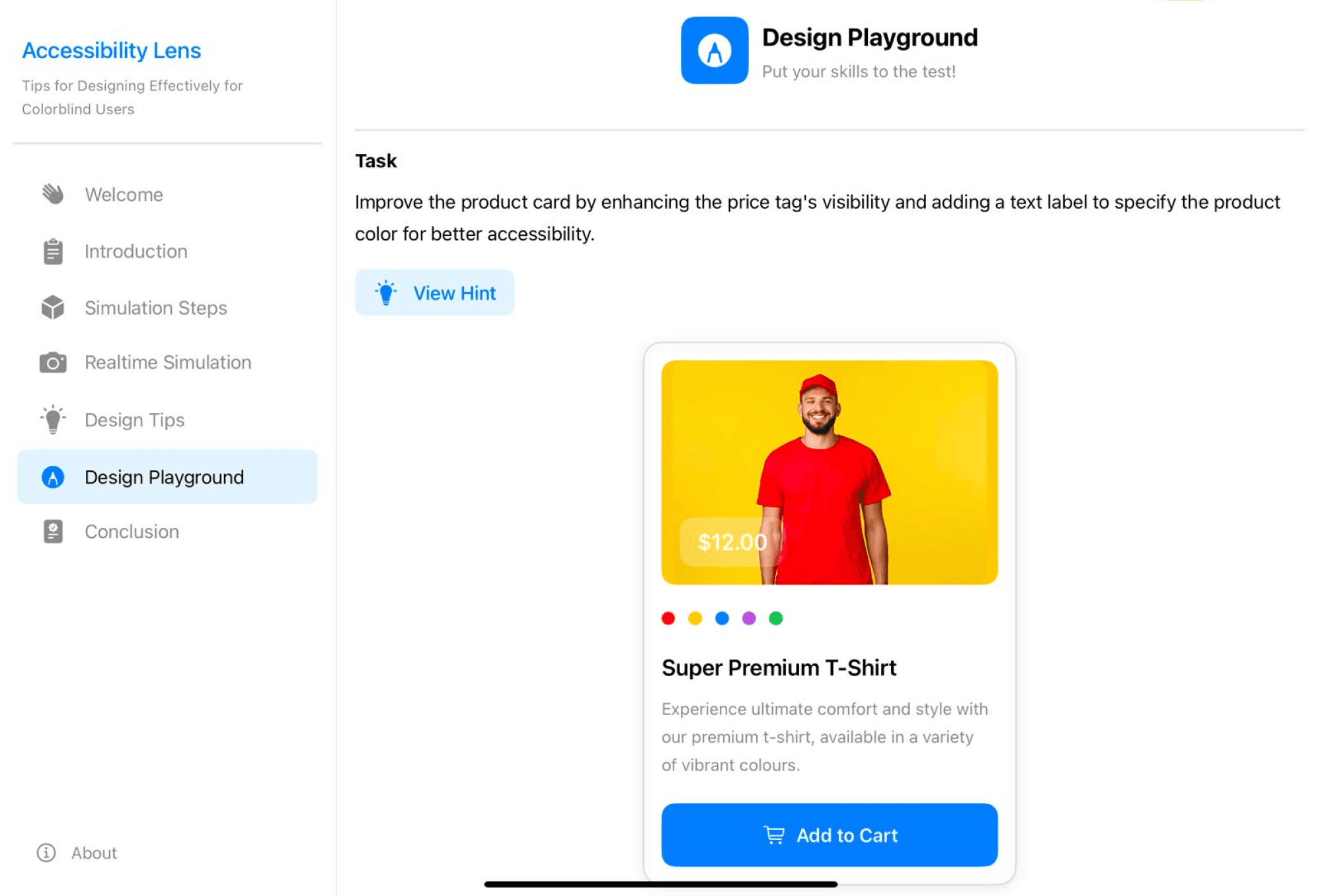
Interactive UI Playground
Learn to identify and fix accessibility issues in common design patterns.
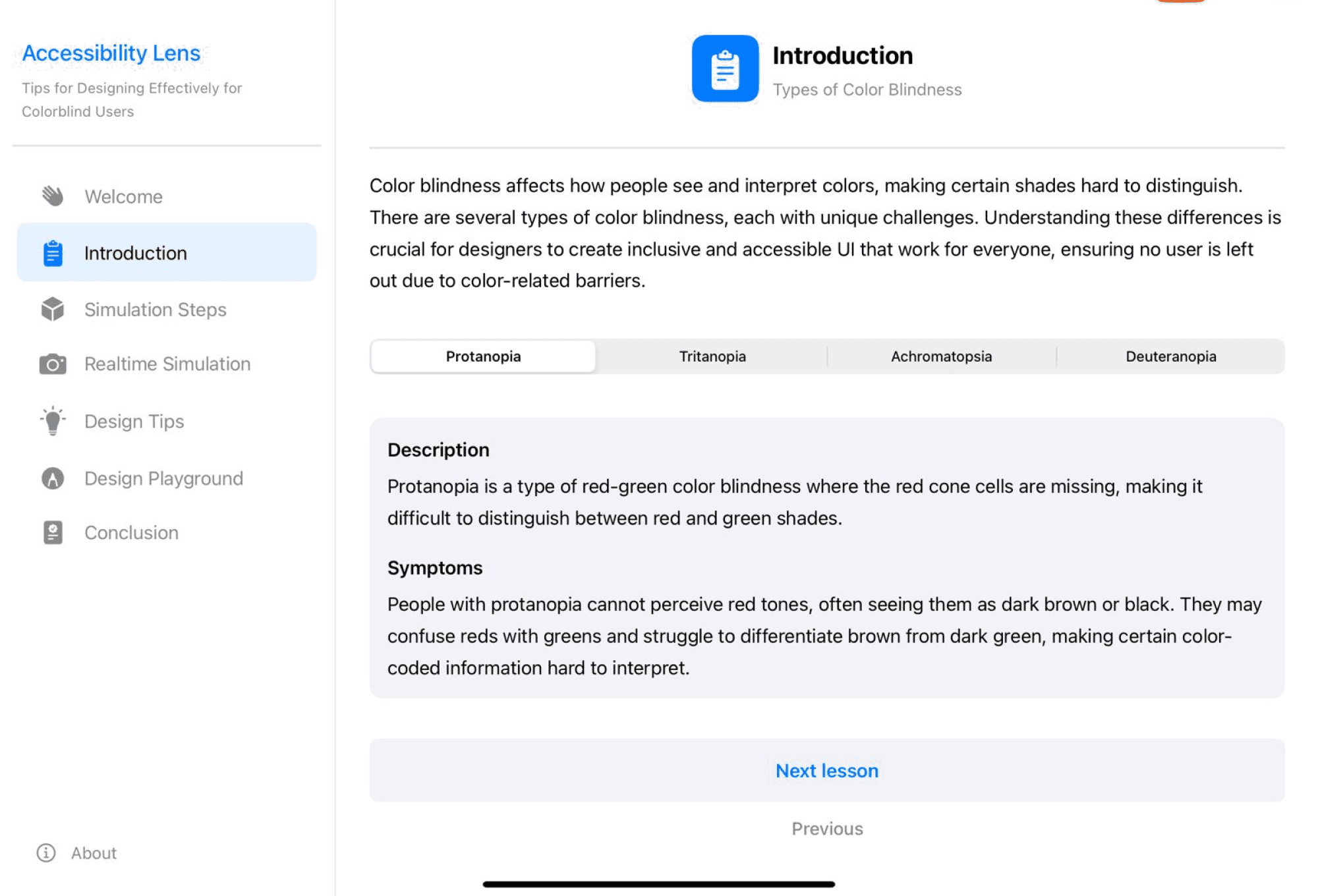
App Experience (Key Screens)
Building Accessibility Lens transformed my understanding of what it means to design inclusively, not just as a principle I believed in, but as a practice I'm now equipped to execute. This project became far more than a competition submission; it became a personal journey into the intersection of empathy, technology, and responsibility.
1
Technical Growth
Working with SwiftUI, AVFoundation, and CoreImage taught me that the boundaries between design and development are more fluid than I assumed. I learned that technical constraints can sharpen design thinking rather than limit it. Every performance optimization and code decision taught me to think like both a designer and a builder.
2
Accessibility Awakening
I started this project thinking I understood accessibility reasonably well, I knew the guidelines, I'd read the research. But experiencing color blindness through the camera simulation I built was profoundly humbling. Seeing my own designs and everyday environment become confusing showed me that intellectual understanding and experiential empathy are fundamentally different.